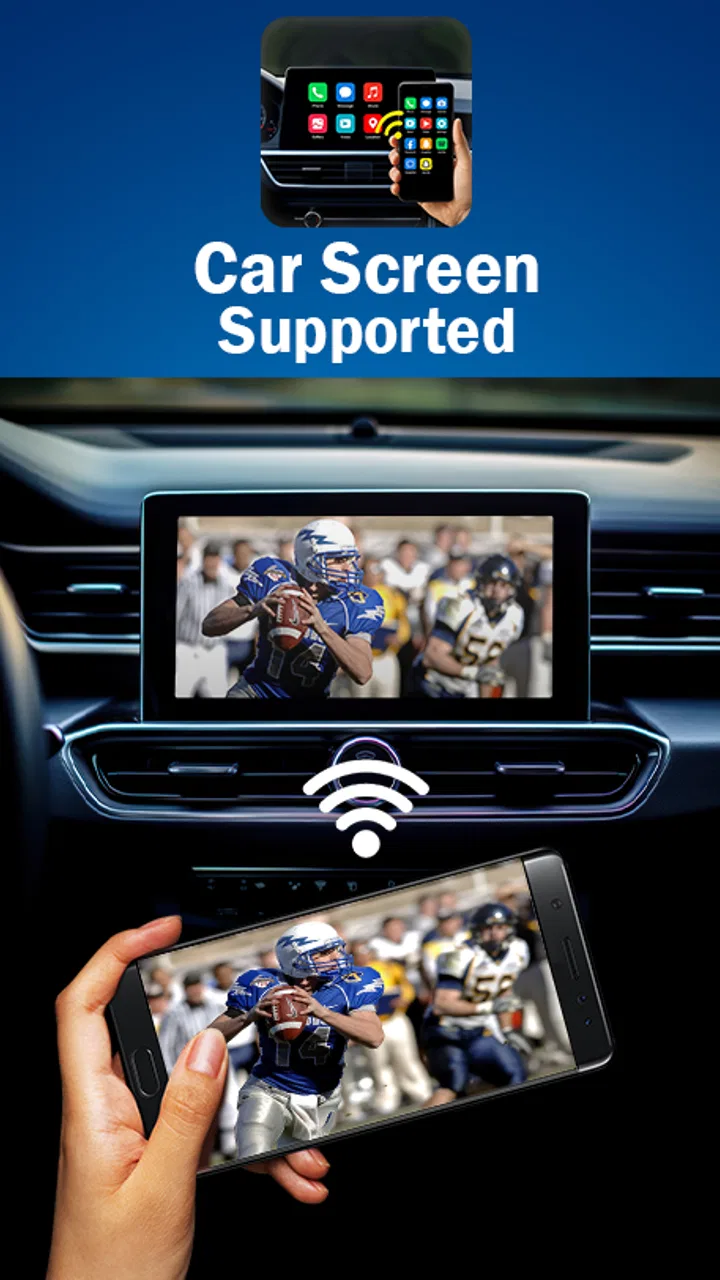
MirrorLink App for Car
- 4.3
- Rating
- 1.00M
- Installs
- Free
- Price
 Analysis by App-foxy
I approached MirrorLink as a practical car-connectivity tool rather than a flashy dashboard replacement. Its purpose is straightforward: it is an Android app from Boss Inc that helps connect a phone with a compatible car infotainment screen. That narrow focus is important, because the experience depends as much on the phone, vehicle, and head unit as it does on the app itself.
In everyday use, the appeal is easy to understand. A phone is convenient for navigation, media, and communication, but looking down at it while driving is distracting. Moving the relevant phone experience onto the vehicle’s display can make a familiar route or audio session easier to manage. I would consider this app mainly for someone whose car already supports MirrorLink and who wants to explore that connection without paying for a separate app.
What using MirrorLink feels like in practice
The app sits in the Libraries & Demo section, which gives a useful clue about its character. This is not an all-purpose driving suite with its own maps, music catalog, or messaging service. It is better understood as a bridge between existing hardware and software. The most important first step is therefore not tapping through the app, but checking whether the phone and car are genuinely compatible.
You May Also Like

 Pandora - Music & Podcasts
Pandora’s Music Is Easy to Start, but Harder to Recover
Pandora’s strength is its low-effort path from a seed to a station. Its weak spot is how much confidence it asks you to place in connection, setup, and quiet recovery.

 8 Ball Pool
 Is Built on Rivalries, Rematches, and Routine
A close look at the rivalries, rematches, shared routines, and unanswered safety questions that turn a quick pool match into a persistent mobile community.

 Samsung Music
’s Quiet Strength Is Playing What You Already Own
Its reach comes less from spectacle than from dependable access to a personal library. That simplicity is both the app’s strongest retention engine and its ceiling.

 AccuWeather: Weather Radar
AccuWeather Review: A Quick, Clear Forecast for Everyday Decisions
For everyday plans, the best forecast is the one you can understand quickly. AccuWeather makes rain timing, radar, and local conditions easy to act on, with a few trade-offs.

 Hill Climb Racing
Why Hill Climb Racing Still Turns Crashes Into One More Run
A tiny car, a bumpy hill and one more upgrade: Hill Climb Racing keeps resurfacing because its simple chaos makes every near-miss feel personal.

 AliExpress - Shopping App
AliExpress Makes Global Shopping Feel Personal, but Shoppers Bear the Risk
AliExpress turns a global marketplace into a pocket-sized discovery engine. Its reach is useful, its shopping loop compelling, and its trade-offs easy to miss.
More From Our News Desk
View All News


That compatibility check is the first practical hurdle. A modern phone may have a large, bright screen and a car may have an impressive infotainment panel, yet that does not automatically mean the two will communicate through MirrorLink. The vehicle’s infotainment system needs to recognize the connection method, and the phone must expose the necessary support. If either side is missing that capability, installing the app will not turn an incompatible setup into a compatible one.
I also found that the best way to test it is while parked, with the phone unlocked and the car’s connection menu visible. Trying to troubleshoot a cable, permissions prompt, or unfamiliar dashboard menu after starting a journey is exactly the sort of avoidable distraction a driving app should not create. A short driveway test is more useful than assuming the first trip will go smoothly.
When the connection works, the value is less about adding new content and more about changing where existing phone content can be viewed. That distinction keeps expectations realistic. The app may help make a compatible arrangement possible, but it does not replace the quality of the car’s screen, the reliability of the cable or connection, or the design of the apps being displayed.
A realistic commute scenario
Imagine leaving home for an unfamiliar appointment. Before moving, I would connect the phone, confirm that the car has recognized it, choose the required navigation or audio option, and then put the phone away. If the route changes, the useful question is not whether MirrorLink has its own navigation intelligence; it is whether the connected setup lets me handle the change from the vehicle’s controls or screen.
That workflow can be more comfortable than balancing a phone on a dashboard mount. It also reduces the temptation to pick up the handset at traffic lights. The benefit is strongest when the car’s controls are well placed and the displayed interface is easy to read. If the vehicle’s screen is slow or awkward, the connection may still work while feeling less convenient than expected.
A second useful scenario is a borrowed or older vehicle with a compatible infotainment system. Someone who does not want to permanently alter the dashboard may prefer trying a free app first. Since MirrorLink costs nothing, it is a low-risk experiment in financial terms. The real investment is time spent checking compatibility and learning the particular car’s connection process.
Trust starts with the narrow purpose
I tend to trust utility apps more when their role is clear, and this one has a clearly defined job. It is not presenting itself as a social network, a subscription media service, or a personal assistant. That limited purpose makes it easier to judge: does it help establish the intended phone-to-car connection, and does it behave predictably when that connection is attempted?
Its public reception is reasonably encouraging. MirrorLink carries a 4.4 average from around nineteen thousand ratings, with roughly one thousand two hundred written reviews and more than one million installs. Those figures suggest that many people have at least tried the app, but they should not be read as a guarantee for every vehicle. Connectivity apps often receive very different reactions from users with different phones, cables, dashboards, and regional vehicle configurations.
The developer is Boss Inc, and the app is free with an Everyone age rating. Those details make it approachable for a broad audience, including someone who simply wants to test a car connection without committing to a purchase. Still, “free” should not be confused with “effortless.” The compatibility investigation remains the main cost in time and patience.
The app was released on May 27, 2018, and its current version is 200.0. It supports Android 7.0 and later, which gives it a relatively broad device range. That does not mean every supported Android phone will provide the same result. Operating-system support is only one layer; hardware support, the vehicle’s head unit, and the connection method still matter.
Controls and data-sensitive moments
For a connectivity app, the moments that deserve the most attention are the ones where the phone asks for access or the car asks to become an external display. I would read each prompt rather than accepting everything quickly, especially during the first setup. A request that is clearly related to connecting or displaying phone content is easier to understand than a request that appears unrelated to the app’s stated purpose.
I would also avoid testing with sensitive content already open. Close private messages, personal documents, banking screens, and anything else that you would not want visible on a larger dashboard display. Screen sharing can change the audience for whatever is currently on the phone, so the safest habit is to prepare the phone before connecting rather than discovering the result after the car screen lights up.
This is not a reason to reject the app; it is a reason to treat the connection as a change in context. A phone that normally faces one person may suddenly be visible to passengers or anyone looking through the windshield. The practical privacy control is deliberate preparation: lock away unrelated apps, avoid leaving confidential pages open, and disconnect when the journey ends if the car is shared with other people.
I would apply the same caution to notifications. Even when the app’s job is only to support the connection, alerts from other apps may become more noticeable once a phone is linked to the vehicle. Notification behavior can depend on Android settings and the car system, so I would review the phone’s notification controls before using the setup regularly. The goal is to keep useful driving information visible without exposing private conversations.
Account control is another part of the trust picture. MirrorLink is most attractive as a direct utility because it does not need to be treated like a social platform. I would avoid entering personal details into any screen that is not clearly necessary for the connection. If the car or phone presents its own account options, I would evaluate those separately from the app and choose the least complicated setup that still performs the required task.
Where the experience can become frustrating
The biggest weakness is the number of variables outside the app’s control. A connection can fail because the vehicle does not support the standard, because the phone’s implementation differs, because the cable is unreliable, or because the infotainment system needs a particular menu selection. From the driver’s point of view, all of those problems may look like “MirrorLink is not working,” even when the app is only one part of the chain.
That makes troubleshooting less satisfying than using a self-contained navigation app. With ordinary phone navigation, the phone itself is usually the complete platform. With MirrorLink, the visible result depends on a second screen and a vehicle interface. If the car’s system is outdated or restrictive, a direct phone mount may be more dependable and quicker to set up.
There is also a trade-off between a larger display and a more controlled interface. A car screen can be easier to see, but it may not expose every phone function. That limitation can be helpful for driving safety, yet it may disappoint anyone expecting a full duplicate of the handset. I would approach the app as a way to use compatible functions in the car, not as a promise that every phone screen will appear unchanged.
Cable management can be another small but important issue. A poor cable can cause intermittent connections that are difficult to diagnose. I would test with a known-good cable, keep the phone secure, and avoid placing it where the connector is bent sharply. This is a simple step, but it can save more time than repeatedly reinstalling the app.
Finally, the app is not the right choice for someone whose car only supports a different phone-integration system. In that situation, a native alternative supported by the vehicle may be better, even if it requires a different app or a different phone workflow. The best option is the one that matches the car’s built-in technology, not necessarily the one with the most familiar name.
How it compares with the usual alternatives
The most obvious alternative is using the phone alone. That approach is quick, familiar, and independent of the vehicle’s infotainment software. A good mount can keep the display visible, but it still leaves the driver managing a separate device. MirrorLink is more appealing when the car screen is already positioned well and the connection remains stable.
Another alternative is the vehicle’s built-in system or a competing phone-integration standard. Those options may offer a smoother interface when the car was designed around them. If your vehicle clearly supports one of those systems, I would choose the officially supported route before forcing a MirrorLink setup. Compatibility is more valuable than loyalty to a particular app.
MirrorLink’s advantage is its simplicity as a free trial. It lets an owner investigate whether an existing phone and car can work together without buying a new dashboard accessory. Its disadvantage is that it cannot overcome missing support on either side. That makes it a sensible first experiment for a compatible setup, but a poor solution for hardware that was never designed for it.
There is also a safety difference between “more screen” and “better driving.” A larger display can reduce the need to glance down, but only if the interface is clear and the driver prepares the route before moving. I would not use the presence of MirrorLink as a justification for browsing, typing, or adjusting unrelated phone settings while driving. The app can support a safer arrangement; it cannot make distracted behavior safe.
Small habits that make the connection more dependable
My first recommendation is to create a repeatable pre-drive routine. Connect the phone before starting the engine, wait for the vehicle to identify it, confirm the expected screen, and only then begin the trip. If something fails, troubleshoot while parked. This turns a vague technical problem into a short checklist and avoids experimenting in traffic.
My second recommendation is to keep the phone’s battery and temperature in mind. A phone working hard while connected may become warm, especially if it is also handling navigation. I would keep it out of direct sunlight and avoid covering it with clothing or other items. This is not a special feature of MirrorLink, but the connection makes it easier to forget that the phone is still doing the underlying work.
Third, I would test the setup with the exact apps and route style I expect to use. A connection that succeeds on a parked screen does not necessarily feel comfortable once the vehicle is moving. Check whether text is readable, whether controls are reachable without leaning, and whether audio behaves as expected. The practical question is not simply “does it connect?” but “does it remain useful without demanding attention?”
Fourth, shared cars deserve a deliberate disconnect habit. Remove the phone from the connection when finished, review any remembered pairing or vehicle prompt, and make sure the next driver will not unexpectedly see your content. This is a small act of user agency, but it matters more than a vague assumption that the system will always forget everything automatically.
Who should try it, and who should skip it
I would recommend MirrorLink to an Android user with a vehicle that explicitly supports MirrorLink, particularly someone who wants to test the existing infotainment screen before buying accessories. It also suits people who prefer a focused utility over a large ecosystem and are comfortable spending a few minutes on setup and compatibility checks.
I would be more cautious about recommending it to someone who expects a universal plug-and-play experience. If you do not know what connection standard your car uses, begin with the vehicle manual or infotainment settings. If the car supports another established integration method, that may be the more sensible path. Likewise, anyone who needs guaranteed compatibility for a daily professional commute should test thoroughly before depending on it.
Privacy-conscious users can still consider it, but they should stay active in the process. Read prompts, prepare the phone, control notifications, and disconnect deliberately. The app’s narrow purpose is reassuring, yet the moment a personal phone is placed on a shared car display is still a data-sensitive moment that deserves attention.
My cautious verdict
After looking at MirrorLink as both a connection tool and a trust decision, I see it as a useful free experiment rather than a universal answer to in-car phone use. Its strongest quality is focus: it aims to help a compatible Android phone communicate with a compatible car screen, without asking users to buy into a broader service.
Its limitations are equally clear. The result depends heavily on hardware compatibility, the car’s interface, the connection method, and the user’s willingness to prepare the phone responsibly. That makes the app less predictable than a self-contained phone solution and less compelling when the vehicle already favors another integration standard.
For the right setup, I think it is worth trying. Start parked, use a reliable connection, keep private content out of view, and judge the experience by how calmly it works during a real drive. With Android 7.0 or later and a compatible vehicle, the free price makes the test easy to justify. Just remember that the safest benefit comes from reducing phone handling, not from adding another screen to manage.
Overall, Boss Inc’s app earns a place on my shortlist for drivers who already have the necessary car support and want a straightforward way to investigate it. I would not install it blindly or promise that it will work with every dashboard. I would install it deliberately, verify the connection before relying on it, and keep a simpler alternative available until the setup has proved itself.
FAQs for MirrorLink App for Car
01What is MirrorLink, and how does it work?
MirrorLink is a technology that allows you to connect your smartphone to your car's infotainment system. This connection enables you to control apps and features directly from your vehicle's dashboard. By using MirrorLink, you can safely access navigation, music, and communication apps without needing to handle your phone while driving.
02Is MirrorLink compatible with all smartphones and car models?
MirrorLink is not universally compatible with all smartphones and vehicle models. It primarily works with Android devices, and users should verify that their smartphone and car infotainment system support MirrorLink. Checking the specifications of both your phone and car will ensure compatibility before attempting to set up the connection.
03How do I set up MirrorLink in my car?
Setting up MirrorLink involves connecting your compatible smartphone to your car’s infotainment system using a USB cable. Once connected, you may need to enable MirrorLink on your phone, usually found in the settings menu. Follow the on-screen instructions in your vehicle to complete the setup and start using MirrorLink features.
04What apps can I use with MirrorLink?
MirrorLink supports a limited range of apps, primarily focusing on those that enhance driving safety and convenience. Popular apps include navigation services like Sygic, music streaming like Spotify, and communication apps such as WhatsApp. Always check the list of MirrorLink-compatible apps for the latest options available for your device.
05Are there any limitations or issues with using MirrorLink?
One limitation of MirrorLink is its restricted app support compared to other technologies like Apple CarPlay or Android Auto. Users may also experience connectivity issues if their smartphone or vehicle software is outdated. Regular software updates for both your device and car system can help mitigate potential issues and improve performance.
Pros
- Seamless connectivity with compatible cars.
- User-friendly interface for easy navigation.
- Supports a wide range of apps.
- Enhances driving safety with hands-free use.
- Minimal setup required for first-time use.
Cons
- Limited app compatibility can be restrictive.
- Requires specific car models for functionality.
- Occasional connection drops reported.
- Updates are infrequent
- lagging behind competitors.
- Some users experience lag in app response.

MirrorLink App for Car
Gallery